
High Definition (HD) TV offers better picture quality and more detail. With an HD-Ready TV, you can watch high definition TV broadcasts, or HD films with a Blu-Ray player.
To be able to watch High Definition TV, here’s what you’ll need:
1. An HD-Ready TV set
Go to an electrical retailer such as Currys or a store like Argos, and pick out an HD-Ready TV set. Here are a few things to look out for:
- Look for one that supports 1080p (this will support the highest quality of HD picture)
- Look for one with two or more HDMI ports. These are the high definition connectors, and if you plan to connect multiple HD boxes (such as a Sky+ HD box and a Blu-Ray disk player), you’ll need more than one socket
- Consider getting Freeview HD or Freesat HD built in, if you want subscription-free HD without having to buy a separate box
2. An HD Receiver
Just because you own an HD-Ready TV set, that doesn’t mean that you can start watching TV straight away… you need an HD receiver. A small number of HD TV sets actually have a Freesat HD or Freeview HD receiver built-in, but most don’t. The clue is in the “Ready” page – this means that the TV is capable of getting HD TV when a suitable HD receiver is plugged in.
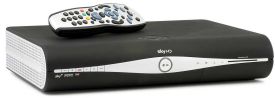
If you’re looking for an HD Receiver, here are your options:
- Sky HD – Some great deals on Sky’s top-of-the-range HD receiver box, the Sky+ HD. Sky offers over 65 HD channels – the widest choice in the UK. It’s a subscription service and you’ll need a satellite dish. More on Sky’s HD site.
- Freesat – Just five HD channels, but no subscription. You’ll need a satellite dish and a Freesat HD box
- Freeview HD – BBC One HD, BBC Two HD, ITV 1 HD and Channel 4 HD. See the list of Freeview HD Receivers.
- Virgin Media – Offering over 20 HD channels via Virgin’s fibre-optic cable network. More details at Virgin Media.
Still got a question? Ask in the comments section below…
I get Free HDTV via Freesat,(non pvr) Humax, I only use it occasionly, mainly use PS3 for watching/recording SD Freeview .
WE have just received the switchover to digital today. I have LD TV with Freview HD.
Which button do I press to get the HD signal ?
Yours sincerely
Ray Blake
Hi Ray,
There’s no button as such. If you haven’t already, do a “channel scan” to make sure your TV has the latest list of channels. Then, tune to Channel 50 (BBC One HD), and you should be watching in HD. The HD channels are on Freeview channels 50 to 54
i 101 used to get hdtv by pressing buttons 101 for bbc and 103 for itv why is this not possible now